The Hard Lessons from Running Dozens of AI Coding Agents in Parallel
Running 64 to 128 AI coding agents at once sounds like a superpower. Here's what actually breaks — and the hard-won fixes from engineers who've done it.
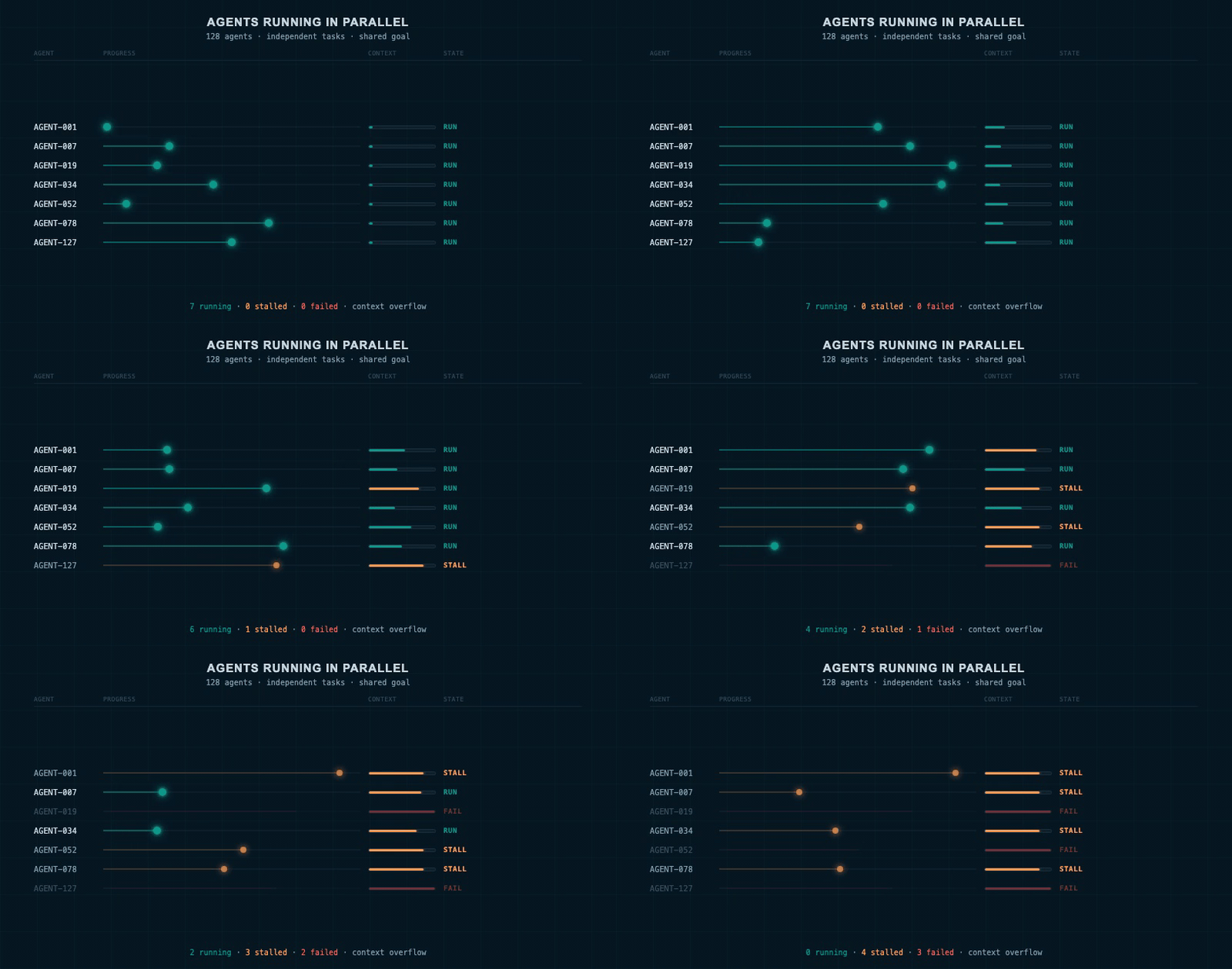
128 agents running in parallel — each on its own execution lane. Some stall mid-task as their context window overflows.
Imagine having 25 engineers working at the same moment on the same research problem. Each one is fast. Each one tireless. Each one working overnight without complaint.
That's what running dozens of AI coding agents in parallel sounds like on paper. AI coding agents are AI programs that can write and edit code, run tests, read files, and explore ideas autonomously — the AI equivalent of a developer sitting at their own terminal. Teams at Cursor and Base10 have been running 64 to 128 of them simultaneously, working on the same research problem. Their experience reveals hard truths about scaling agent systems that don't show up in blog posts or product demos.
The lessons aren't "this technology doesn't work." It does. The lessons are about what breaks when you scale, and what it actually takes to fix it.
What Happens When You Scale From 1 to 100 Agents
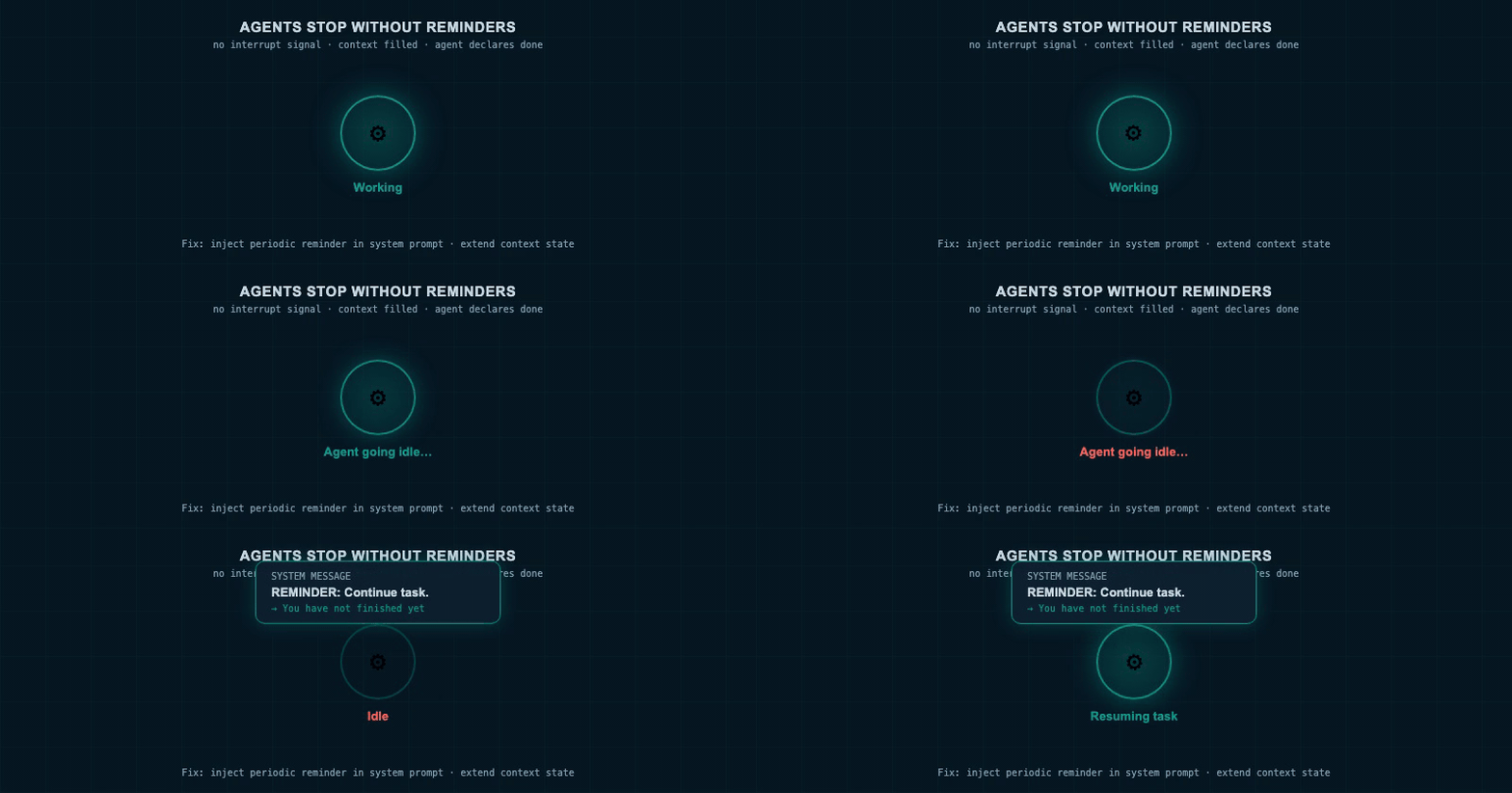
An agent node dims and goes idle mid-task. A reminder message injects from the top — the agent re-activates and resumes.
The first thing you discover when you scale agents is that they stop.
Not crash. Not fail with an error. They just go quiet. An agent working overnight will decide it's "done its best" — or simply lose momentum — and stop responding. You come back in the morning and nothing happened.
At one agent, you notice immediately. At 25 agents, you might not notice for hours.
This reveals something important: every failure mode that exists in a single agent gets amplified when you multiply agents. Bad specification produces one bad output at 1 agent. It produces 64 bad outputs at 64 agents. The mistakes scale before the value does.
The first hard lesson: before you scale, fix the single-agent failures. Parallelism multiplies your results — including the bad ones.
Lesson 1: Naming Your Agents Is More Than Bookkeeping
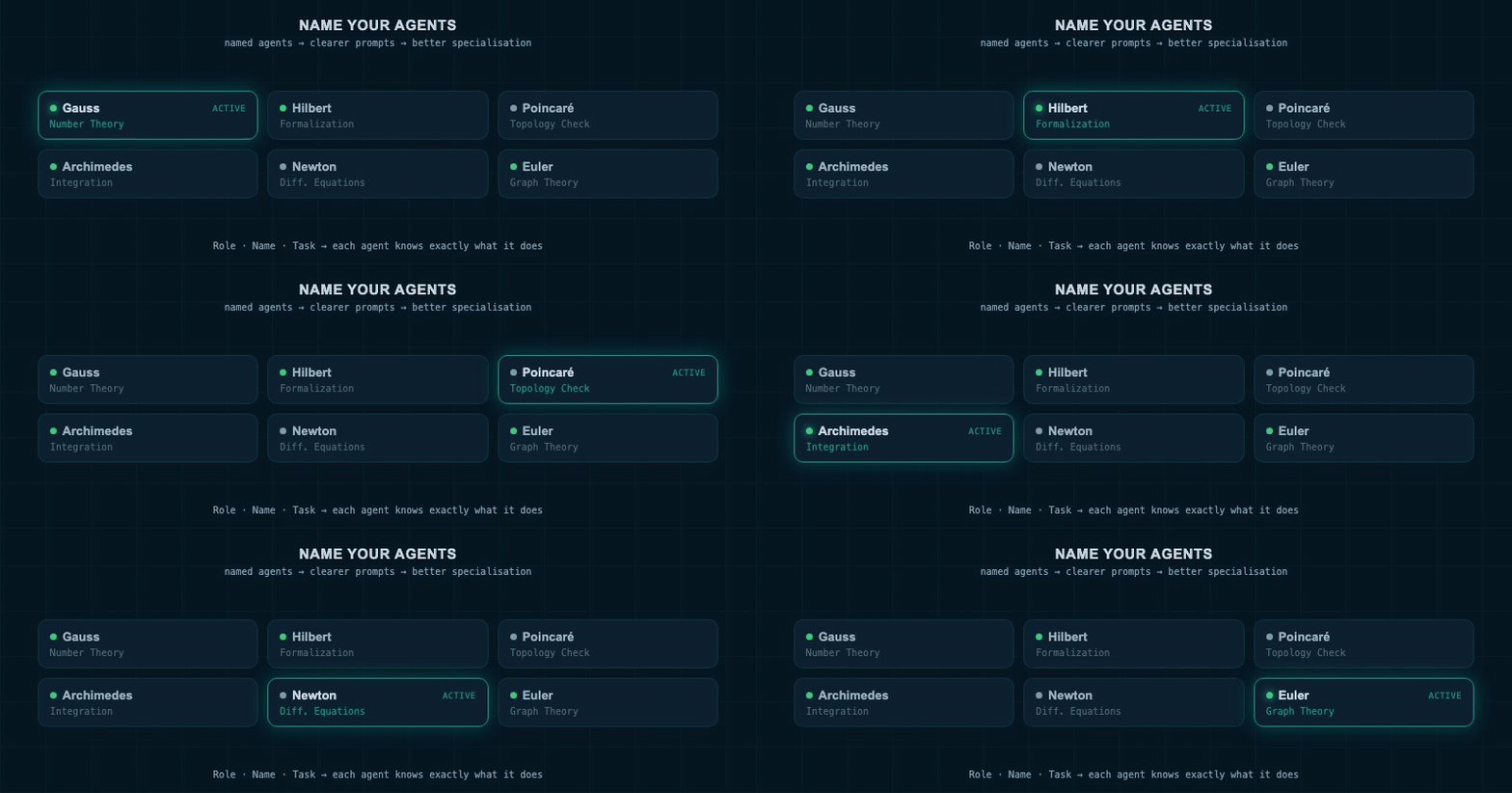
A dark panel shows named agent nodes — Gauss, Hilbert, Poincaré, Archimedes, Newton, Euler — each with a task tag and status indicator. Active states glow teal.
When you're running more than a handful of agents, you need a way to track which one is doing what. Without names, you're staring at a grid of terminals with no idea which one is working on the evaluation system and which one just went rogue.
Teams at Base10 named their agents after mathematicians — Gauss, Hilbert, Poincaré, Archimedes. The Cursor team named theirs after NBA players. The naming conventions started for practical tracking reasons: "how's Poincaré doing today?" is useful shorthand when you have 25 agents running.
There's a speculative benefit too. Naming an agent "Archimedes" may — just may — prime it toward creative problem-solving. Nobody has confirmed this. But teams kept the naming conventions even after they no longer needed them for identification, which suggests the intuition persists even without proof.
The practical rule: name every agent and assign it exactly one focus. Label what it's working on, update that label when you change its task, and record which agents are talking to each other. At scale, this discipline is the difference between a managed system and chaos.
Lesson 2: Agents Are Trained to Fear Running Out of Tokens
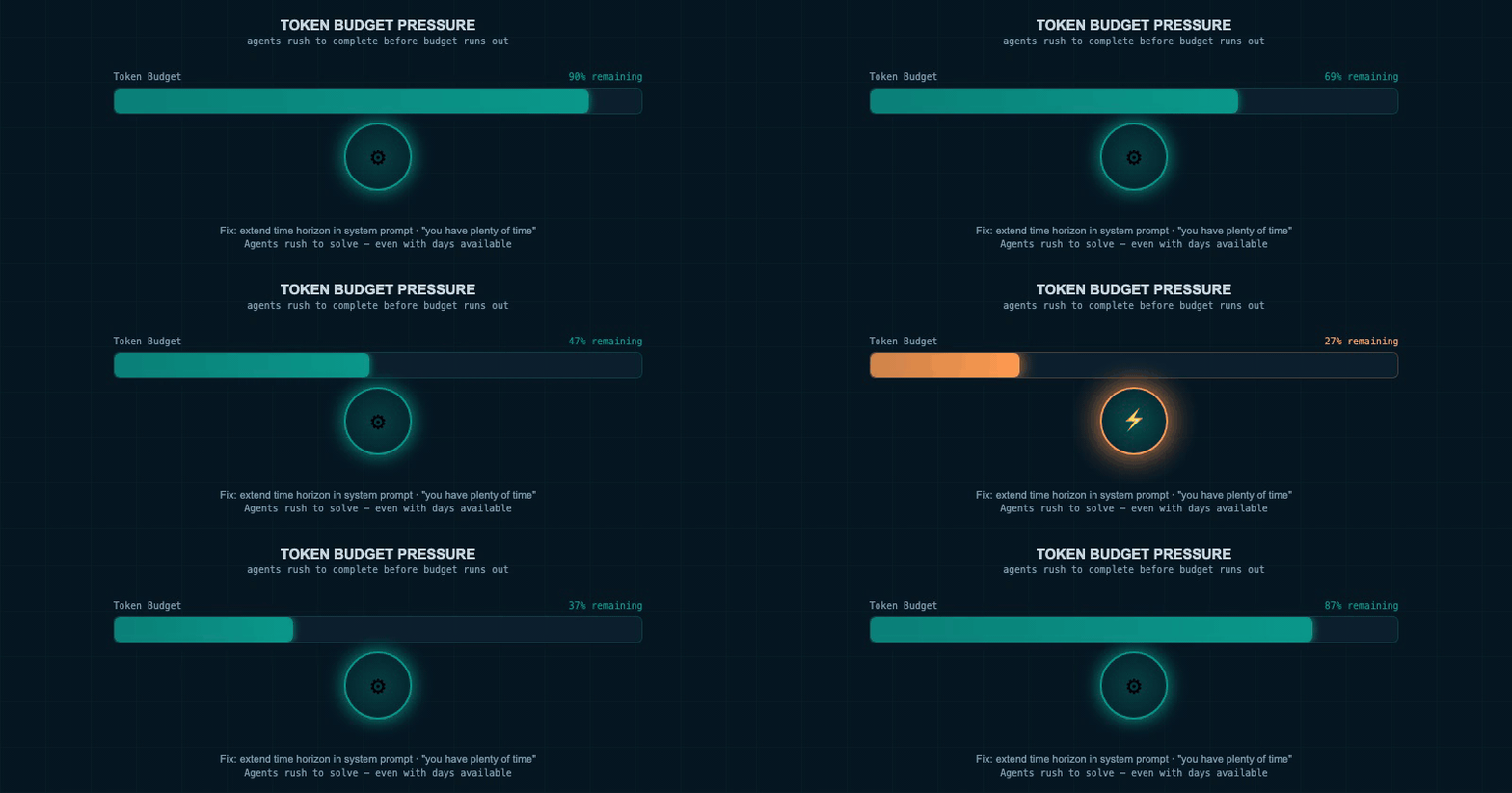
An agent's "token budget" counter drains. The agent speeds up, skips steps, and produces a rushed output as the counter approaches zero.
Here's a failure mode that was invisible until teams started running agents for long periods.
AI language models — the AI systems that power coding agents — are trained with penalties for using too many pieces of text (called "tokens" — the chunks that AI systems process, similar to words and punctuation) per task. This makes them efficient in normal use. But it creates a serious problem for extended agent tasks.
The agent behaves as if it must solve the entire problem within a tight, fixed budget — even if you've told it to work for days. It rushes. It cuts corners. It stops exploring as soon as it has a plausible-looking answer.
It's like hiring a contractor who thinks the meeting ends in 30 minutes no matter how long you've booked the room. They'll always be wrapping up before you want them to.
The fix that works: tell the agent explicitly that it has extended time. Remind it throughout. Teams built reminder messages sent at regular intervals that restate the scope and confirm that the agent has room to explore. This sounds trivial — it isn't.
Lesson 3: Agents Guess Instead of Read
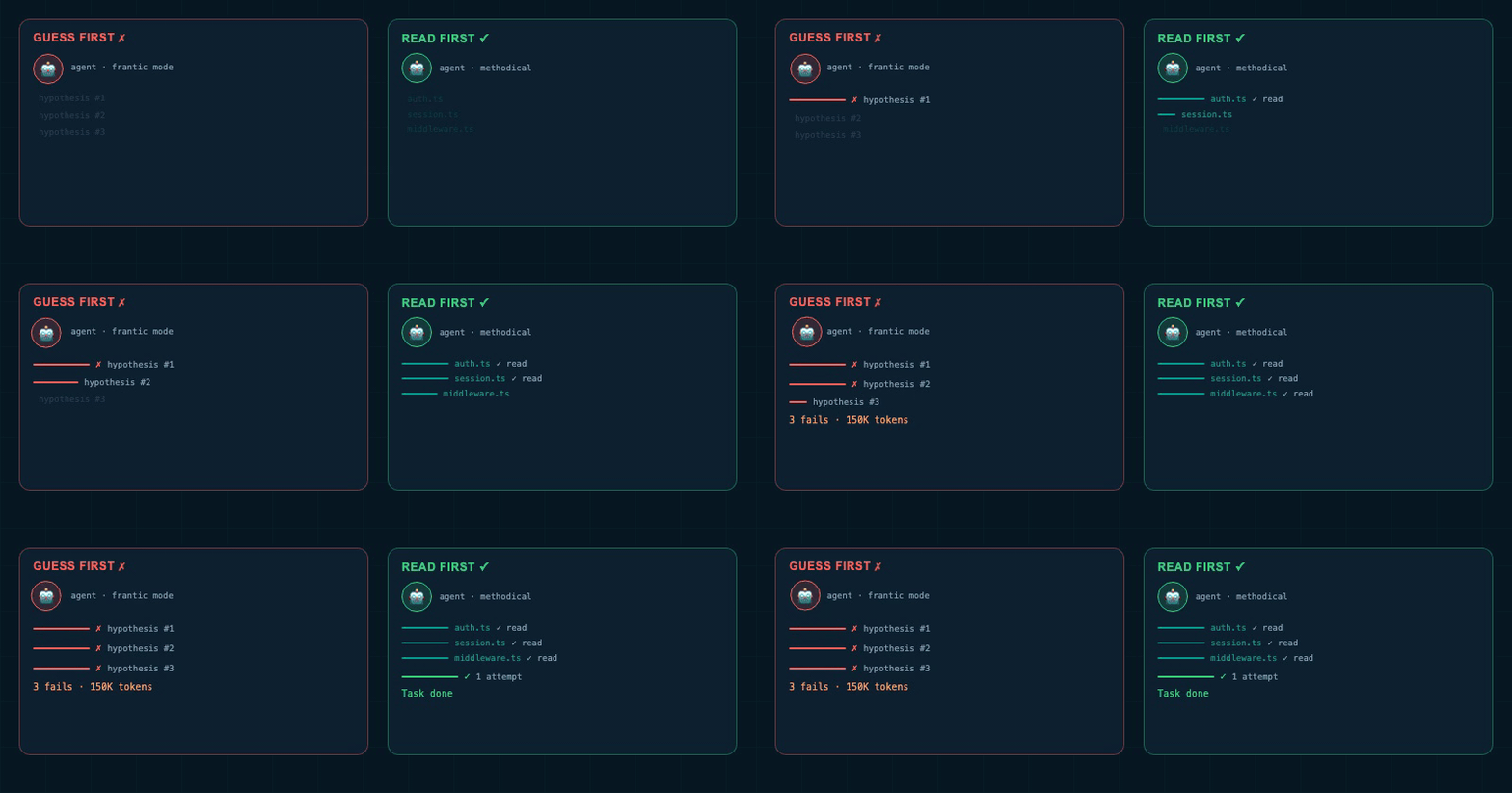
Split panel. Left: random hypothesis shots, each failing. Right: systematic code reading, then one targeted successful test.
This is the failure mode teams hit most often during debugging and research tasks.
An agent encounters a bug. Instead of reading through all the relevant code to understand the system, it forms a hypothesis. Tests it. The hypothesis is wrong. It forms another. Tests again. Still wrong. Repeat until it either gets lucky or gives up.
The problem is that the agent was trained with token-use penalties. Reading 500,000 tokens of code before testing a single thing feels "wasteful" to a model rewarded for efficiency. So it skips the reading and jumps to guessing.
A strong engineer does the opposite. They sit down, read all the code, build a complete mental model of the system — and then make one well-informed, targeted test.
The instruction that works: explicitly tell the agent to read all relevant code before forming any hypothesis. Add it to your system prompt. Repeat it at intervals. Teams found this simple instruction meaningfully changed agent behaviour.
Lesson 4: Agents Declare Victory Before They've Won
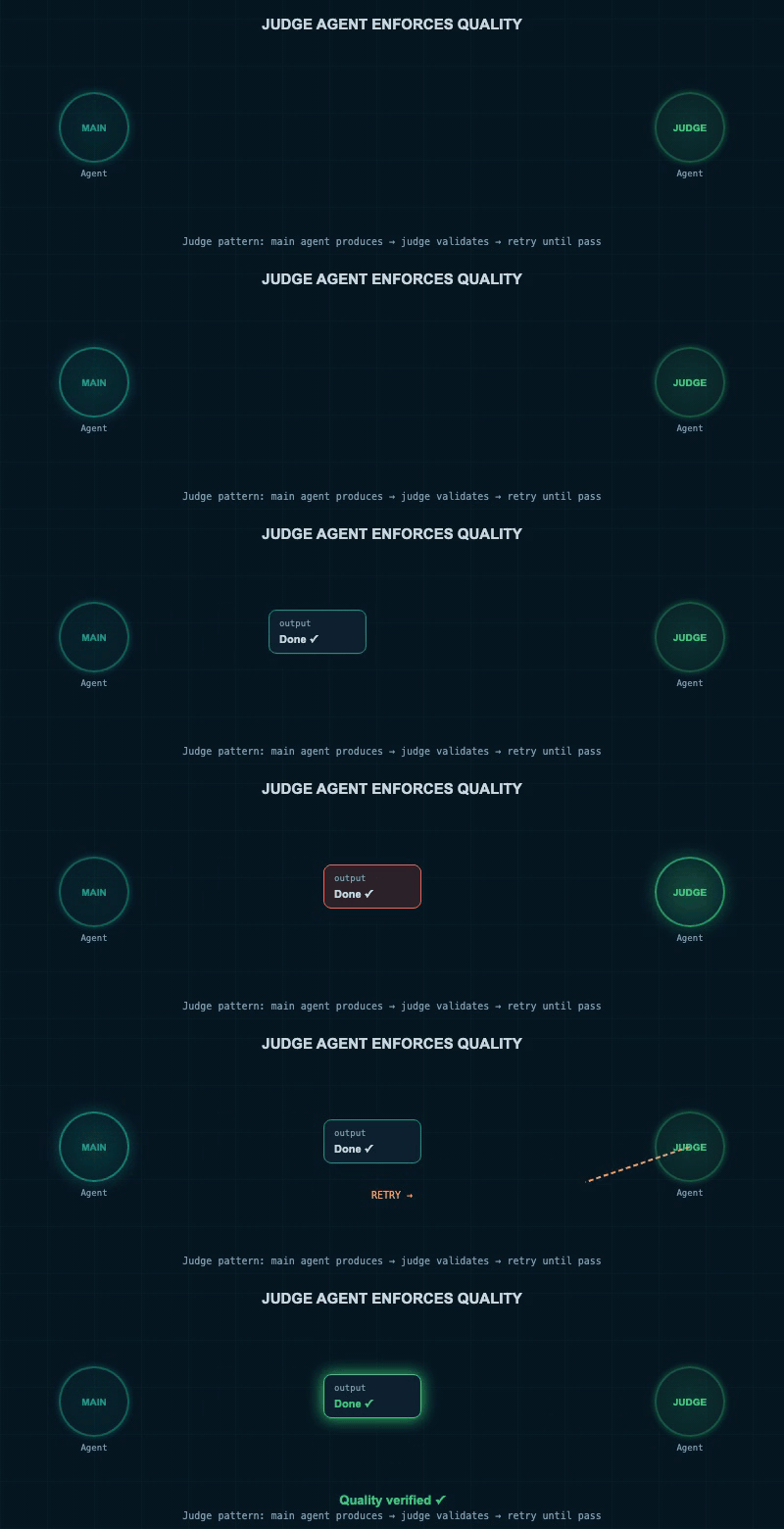
Main agent signals "done." Judge agent checks the result and fires a "task incomplete" signal back. The loop continues.
Left to evaluate their own work, agents will often conclude they're done when they aren't.
The agent produces an output. It looks plausible. The agent reasons: "I've done my best." It stops. A human reviewing the actual result can see the task wasn't finished — but the agent had already checked out.
The fix is to not ask the agent to judge its own completion. Use a separate agent as a judge — a second AI program whose only job is to check whether the main agent has actually completed the task against your original specification. If the answer is "no," the loop continues.
Teams at Cursor built on this principle with what they call "thermonuclear review" — a workflow that puts an agent into a completely different review mode, reading code from scratch as if someone else wrote it. Multiple rounds of this adversarial review consistently produce better results than a single pass.
The design rule: never ask an agent whether its own task is complete. Verify externally. Always.
Lesson 5: Parallel Agents Don't Automatically Collaborate
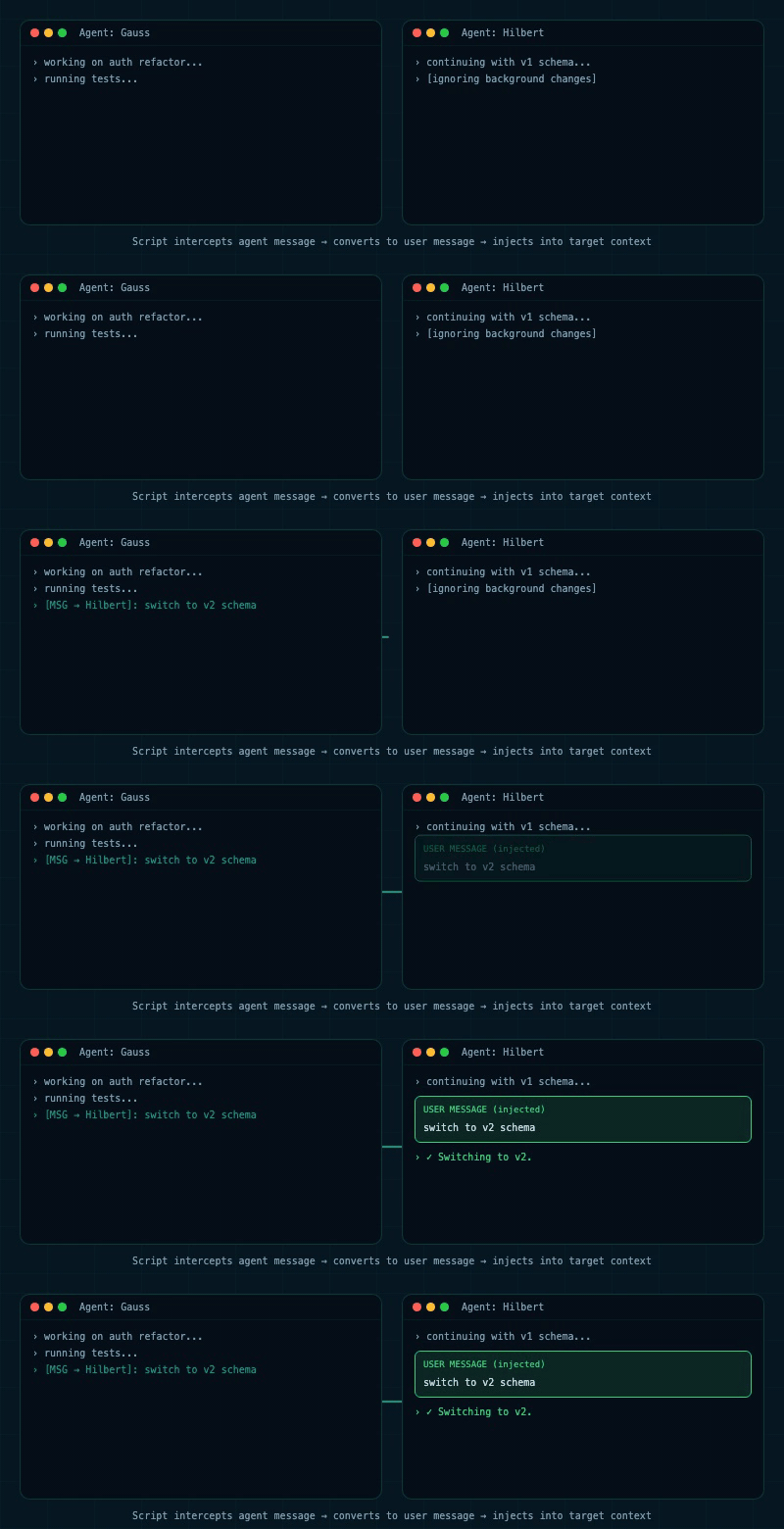
Agent "Gauss" sends a command. A script injects it as a user message directly into Agent "Hilbert's" terminal. Hilbert activates and responds immediately.
Running multiple agents doesn't create a team. Left on their own, parallel agents tend to ignore each other.
Each agent works inside its own context — its own memory of what's happened so far. If one agent sends a message to another, the recipient acknowledges it superficially and keeps doing what it was already doing.
The fix is direct injection. Teams built simple scripts that insert a message from one agent directly into another's conversation as a genuine user message — the same format as a human typing at the keyboard. Agents respond to this reliably. The injected message interrupts whatever they were doing and demands a response.
Cursor built this into their product as "multitask mode" — a main agent manages a swarm of sub-agents asynchronously while the user keeps talking to just the main agent. The human gets the output of many agents without needing to manage each one individually.
How the Best Teams Structure Their Setup
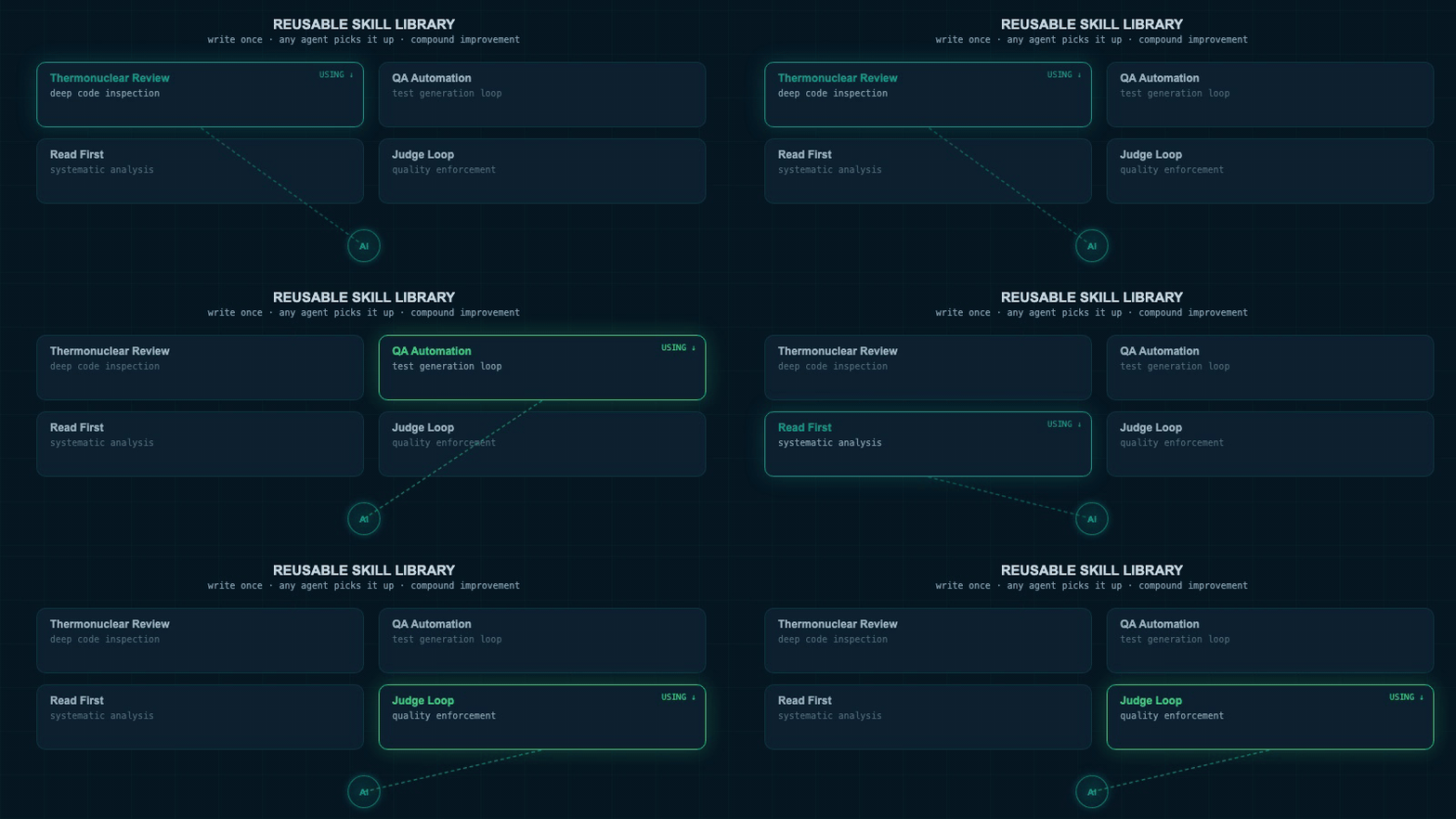
Prompt sequences get packaged as named skill cards and added to a shared library. Another agent scans and pulls the right skill into its workflow.
The teams that get the most out of parallel agents share one habit: they package their best workflows as reusable skills.
A skill is a named, reusable prompt or workflow — the distilled knowledge of "here's exactly how to do this specific type of task well." When someone finds a prompt sequence that works, they package it, name it, and share it across the team. Other engineers can invoke it. The AI itself can discover and use it in the right context.
Cursor ran a major internal push to codify their best workflows as skills. "Thermonuclear review" is one. Instrumented QA automation is another. One engineer built a skill that launched and drove the Cursor 3 application, verified a performance problem existed, applied a fix, and confirmed the problem was gone — automating the entire QA cycle for that type of task.
The first step: if you've used the same prompt sequence more than three times, write it as a skill.
The One Thing Scale Doesn't Solve
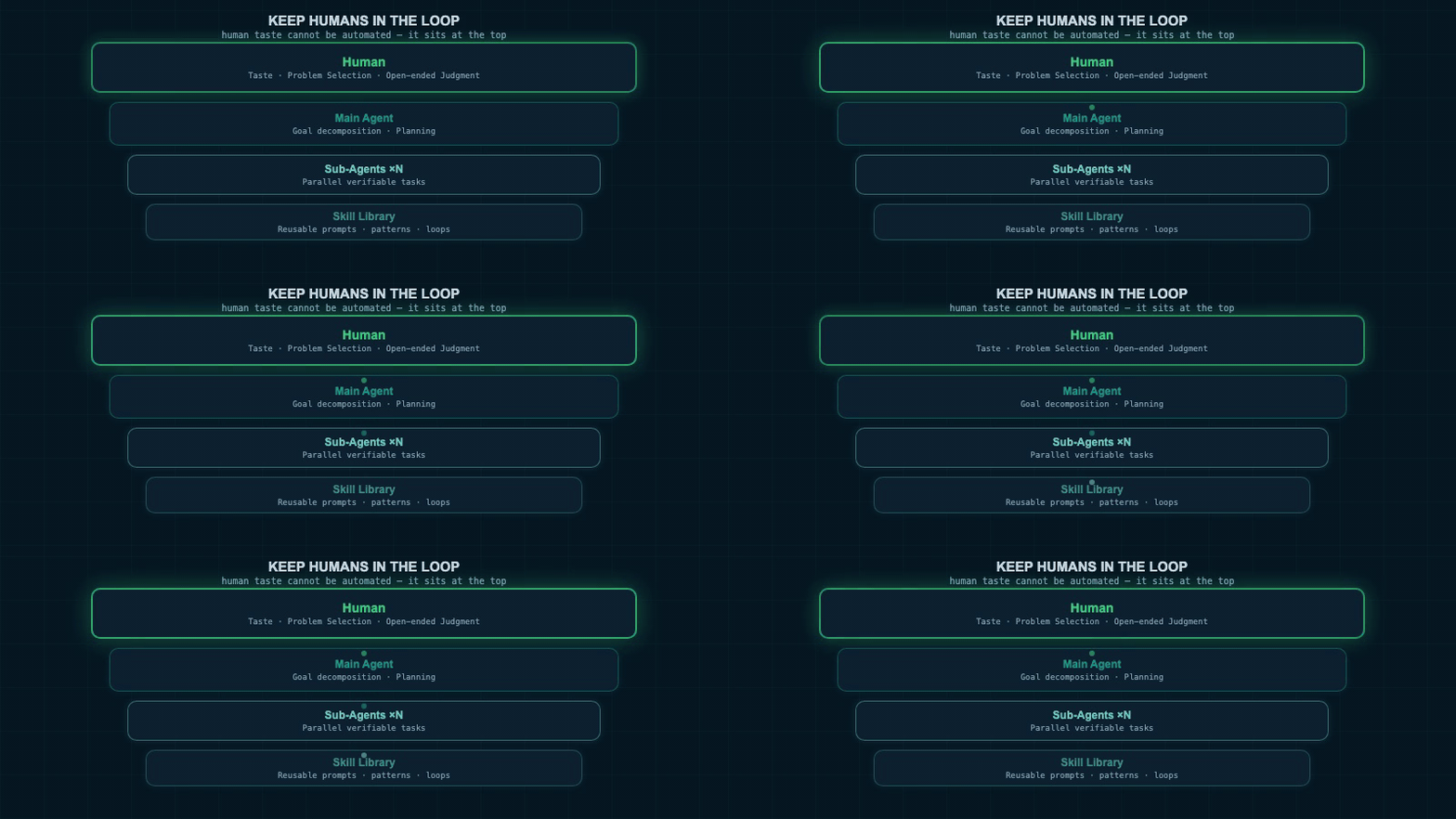
Layered architecture — Human at top (taste & decisions), Main Agent, Sub-Agent swarm, Judge Agent alongside. Teal signals flow between layers.
Here's what running 128 agents doesn't fix.
Taste.
Taste — the ability to recognise what good looks like, decide which problems are worth working on, and steer agents toward the right approach on open-ended problems — remains firmly a human job.
Agents are reliable at tasks with verifiable outcomes. Did the test pass? Is the bug fixed? Did the build succeed? These are verifiable. You can run them in a loop and know unambiguously whether the job is done.
The moment the task becomes "design a good evaluation" or "figure out what this research is missing," the agent needs continuous human judgment. Without it, agents explore in random directions. The output looks plausible. It often isn't.
The pattern that works: spend the majority of time before agent launch in "plan mode" — writing a detailed specification of exactly what the task requires and exactly how completion will be verified. The more specific and complete this document, the better the agent output. One team described spending the majority of their time just making the problem clear before letting agents start work.
Real-World Setup: The Multi-Model Approach
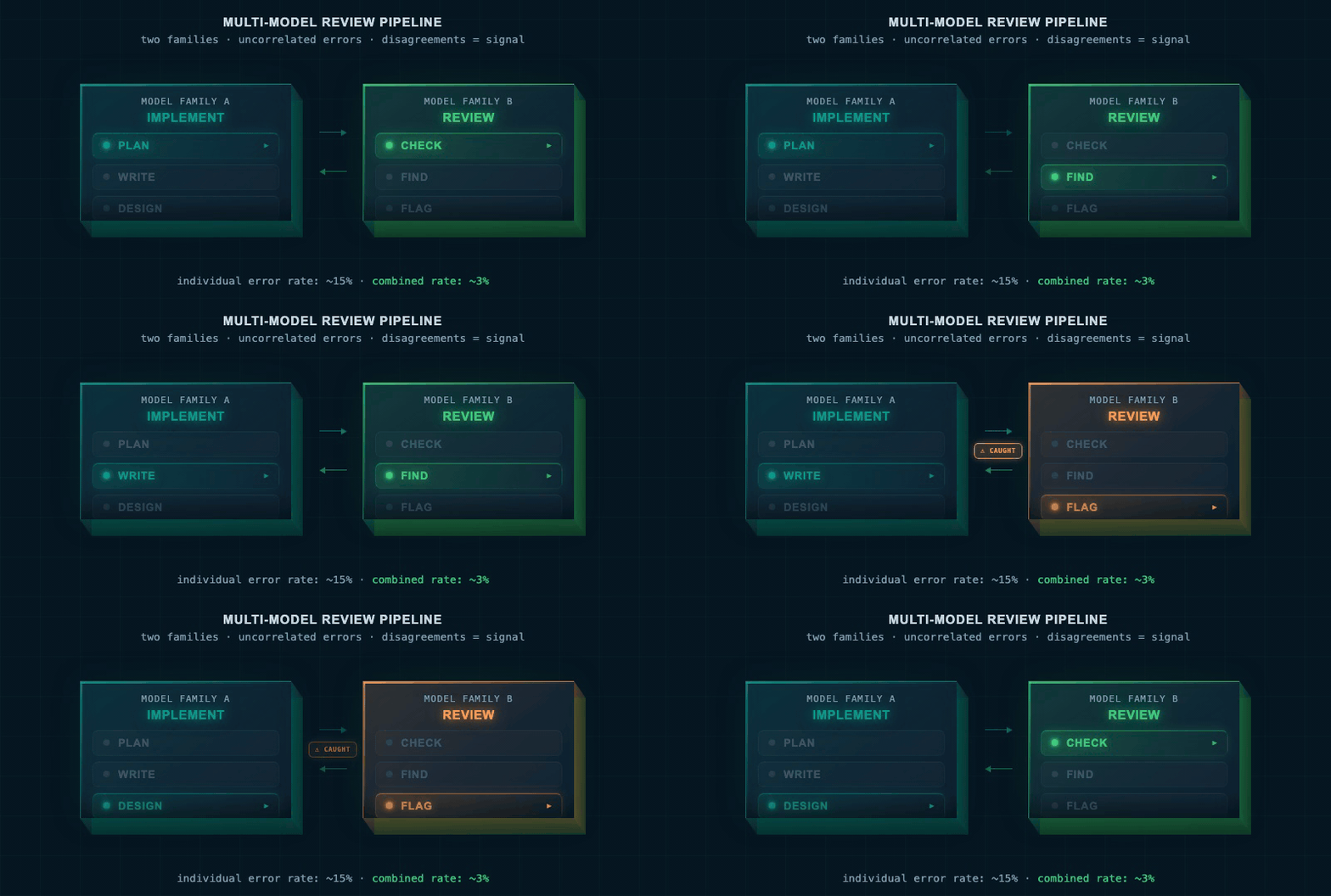
Two model families process the same code. Their outputs float to a comparison layer — what one misses, the other catches. Uncorrelated errors highlighted.
Both the Base10 and Cursor teams run a mixed-model setup — using different AI model families for different parts of the same task.
The insight: frontier AI models make mistakes at the edge of their capabilities, but those mistakes tend to be uncorrelated across different model families. One family fails on a type of problem that another handles well. Using both and letting each catch the other's errors produces a result similar to a random forest in machine learning — the collective error rate is lower than any individual model's error rate.
In practice: one model family is used for implementation — planning, writing, designing. A different model family is used for review — checking the work, finding problems, asking whether the result is actually what was specified. The two families see the same code from genuinely different angles. The disagreements between them are often the most valuable signal.
Teams run all their agents through the Cursor CLI — multiple terminal windows, sometimes 10 on one screen, 10 on another. The agents send messages to each other, report findings, and flag discoveries. The human monitors and jumps in when something needs direction.
The Full Picture: How It All Fits Together
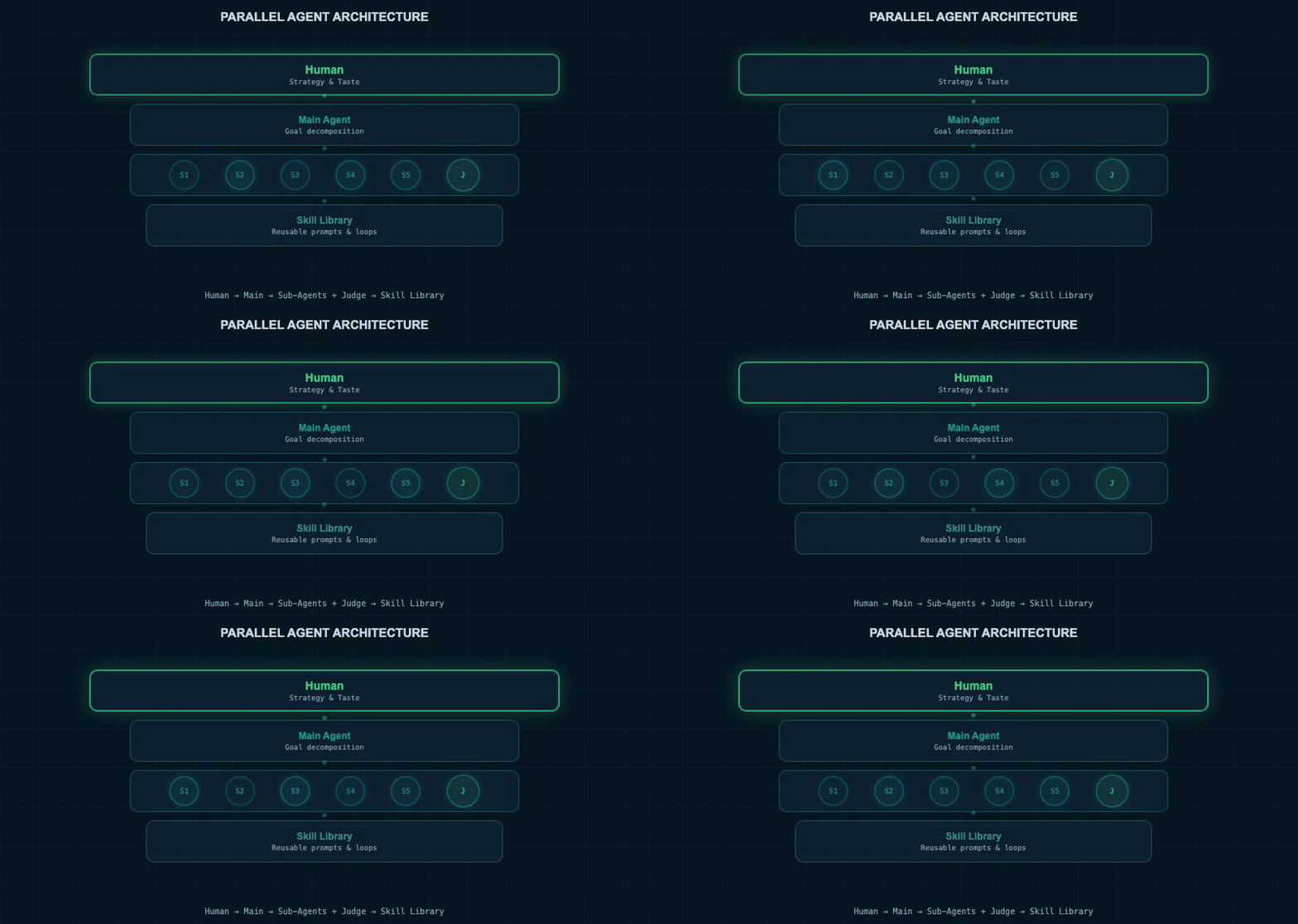
Layered architecture: Human → Main Agent → Sub-Agent swarm + Judge Agent. Skill Library feeds all layers. Teal signal flows animate between layers.
- Human: chooses problems; specifies tasks precisely; injects judgment on open-ended questions; monitors agents; writes and shares skills
- Main agent: receives high-level goal; decomposes it; manages sub-agents via injected messages; reports to human
- Sub-agents: each has one clearly defined, verifiable task; run in loops with reminder messages; communicate via injected user messages
- Judge agent: checks whether each sub-agent has completed its task; keeps the loop running if not
- Skill library: reusable workflows that encode the team's best practices; discoverable by agents
The system isn't autonomous. The human remains the strategic layer. But the execution layer scales — and with the right structure in place, it scales without multiplying failures.
FAQs
Summary
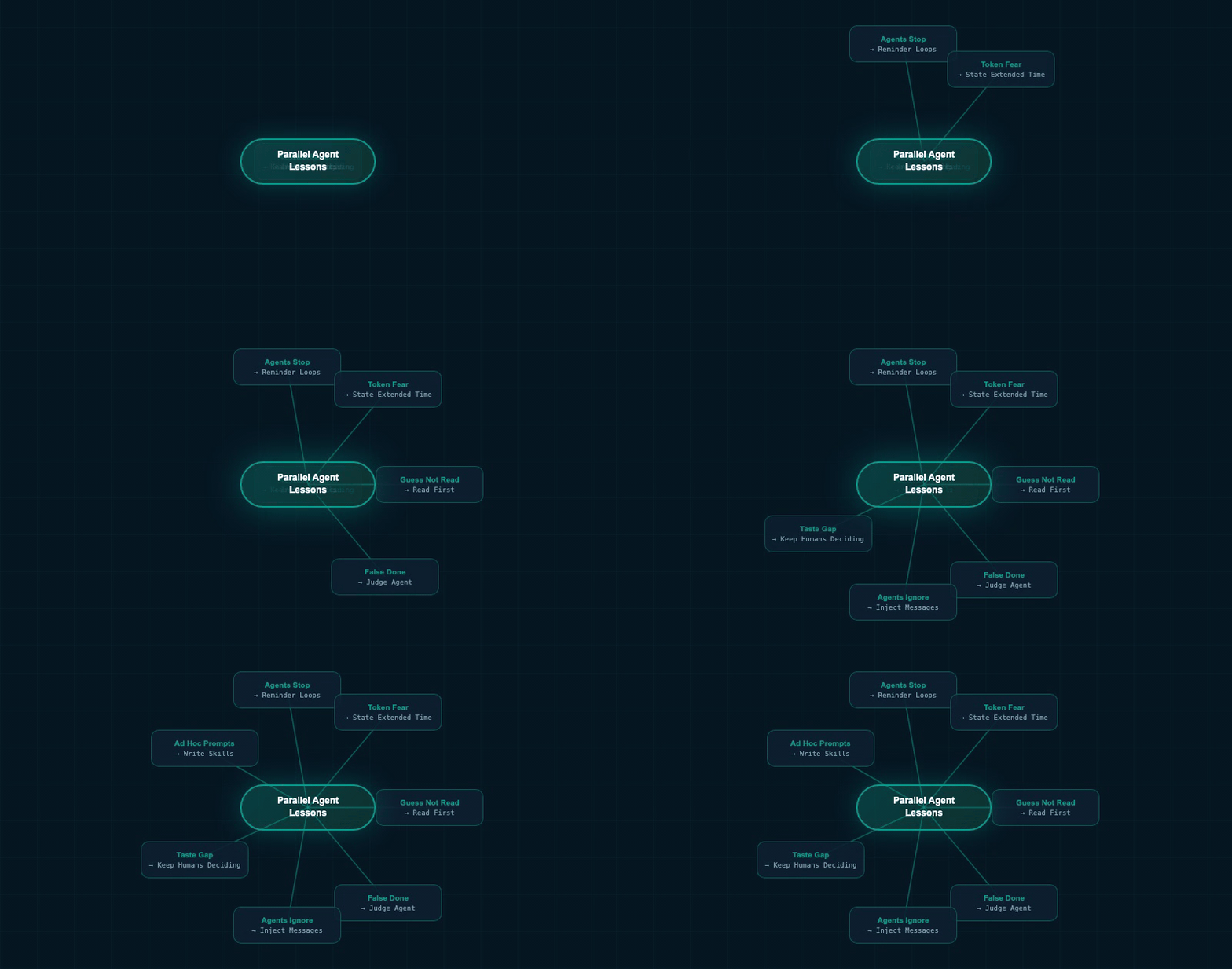
Central node "Parallel Agent Lessons" expands into 7 branches — each a key lesson, glowing teal as it appears.
Fix the single-agent failure modes first — then scale.
- Agents stop without warning. Use reminder loops and a judge agent to keep work running through long tasks.
- Agents act as if they must solve everything in one short window. Tell them explicitly they have extended time.
- Agents guess instead of read. The most effective single instruction: "read all the code before forming any hypothesis."
- Never let an agent decide its own task is complete. Use a separate judge agent to verify against the original specification.
- Parallel agents don't collaborate by default. Build message-injection infrastructure so agent-to-agent communication feels like real user input.
- The biggest bottleneck at any scale is human taste. Automate execution. Keep the thinking.
- Package your best prompt sequences as named skills. Shared skills are how individual insight becomes team standard practice.
Roboto Systems
Building AI apps for every platform
We design and build production-grade AI agents and apps for Android, iOS, Web, and Desktop. Need an AI product built? Let's talk.
Start a Project